Step through a few of ReviewFrame's key features, from setting up a
consultation to downloading the responses it collects.
Step 1 of 5
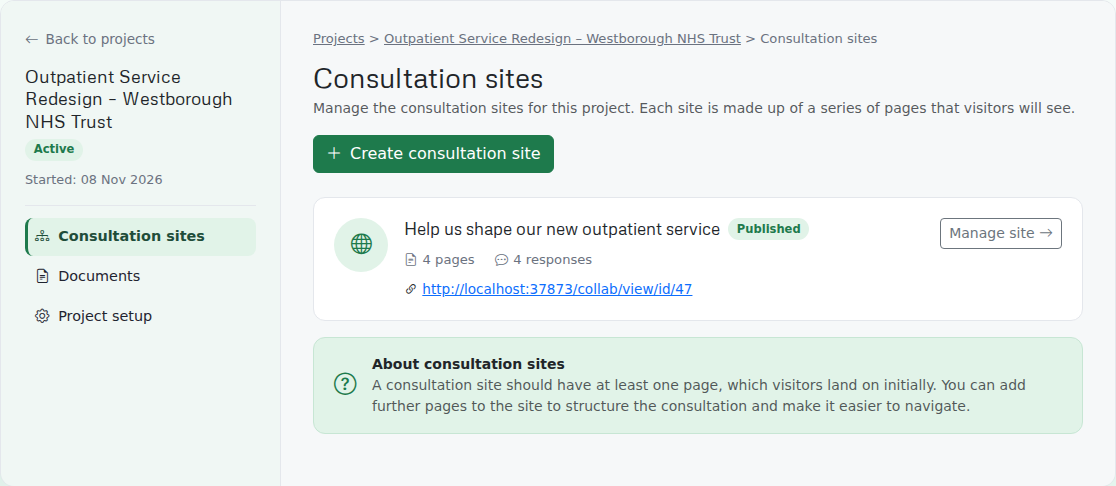
Manage your consultation sites
Every consultation lives inside a project, with its publish status, page and response counts, and a one-click link to the live site — so you can run several consultations at once without losing track of any of them.
Step 2 of 5
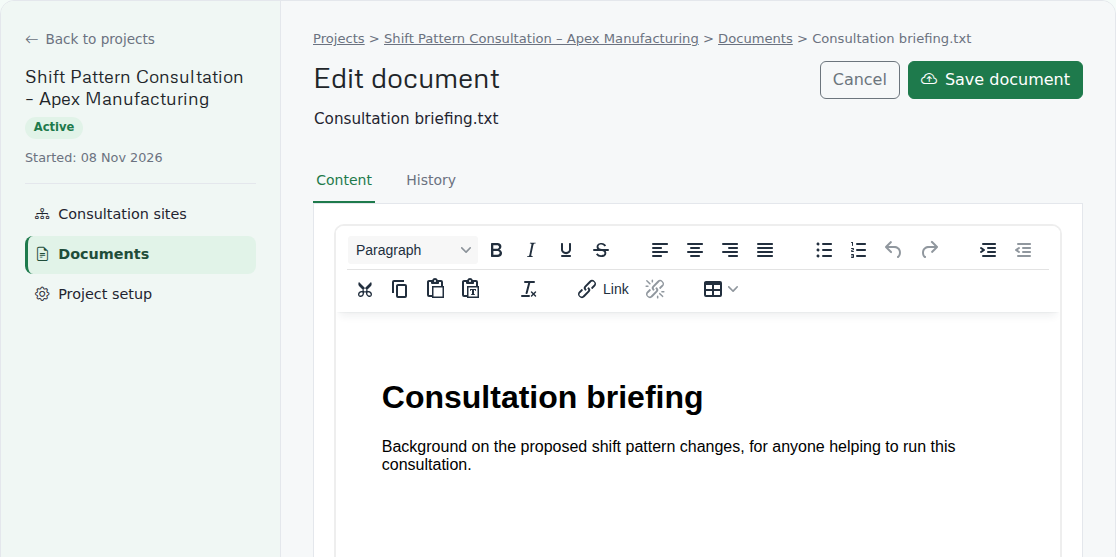
Write and edit documents in your browser
Upload a document or start one from scratch with ReviewFrame’s built-in editor — no extra software needed, and every save keeps a version history you can go back to.
Step 3 of 5
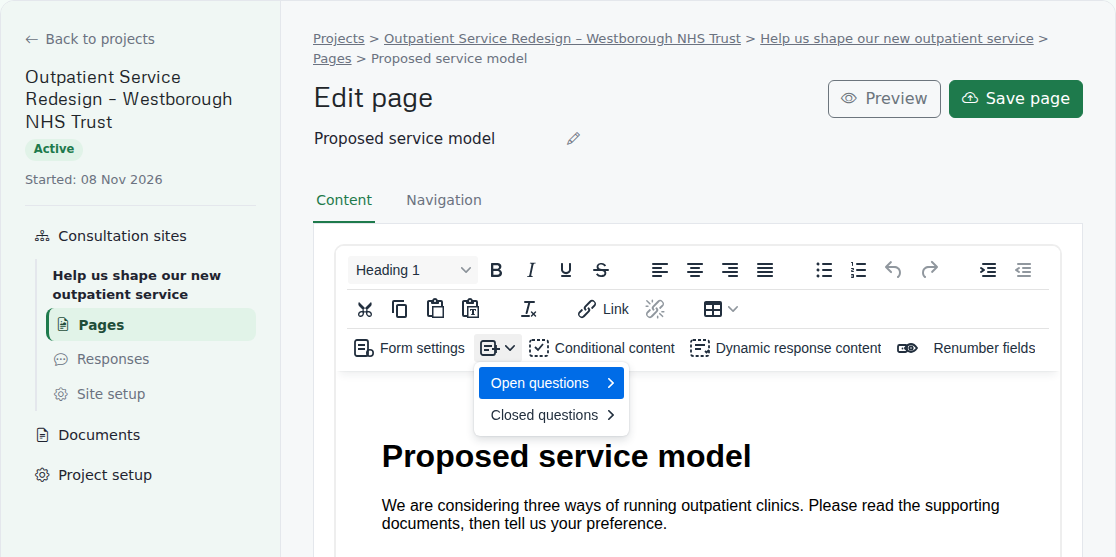
Build structured questionnaires
Add radio buttons, checkboxes, dropdowns and free-text questions straight into your page content, mark fields as required, and show or hide extra content based on how someone answers.
Step 4 of 5
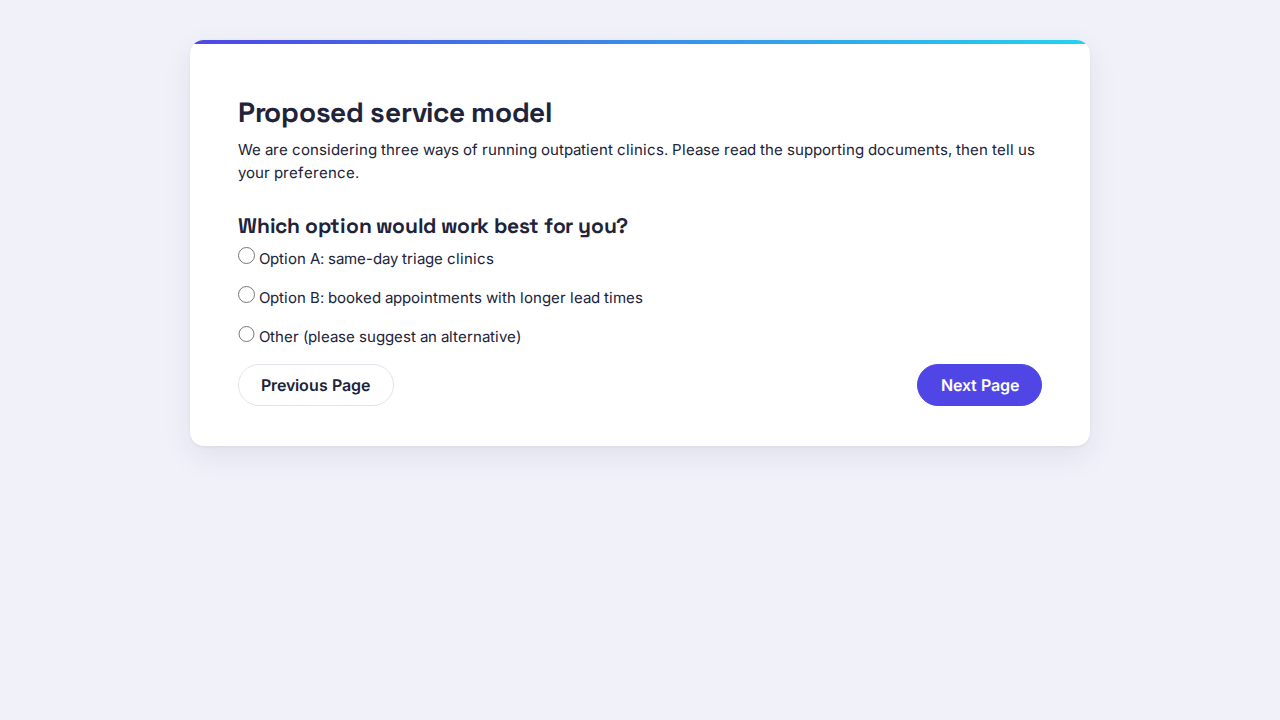
A clear, guided experience for respondents
Participants work through your consultation page by page, answering questions and leaving feedback, with no account or sign-up required.
Step 5 of 5
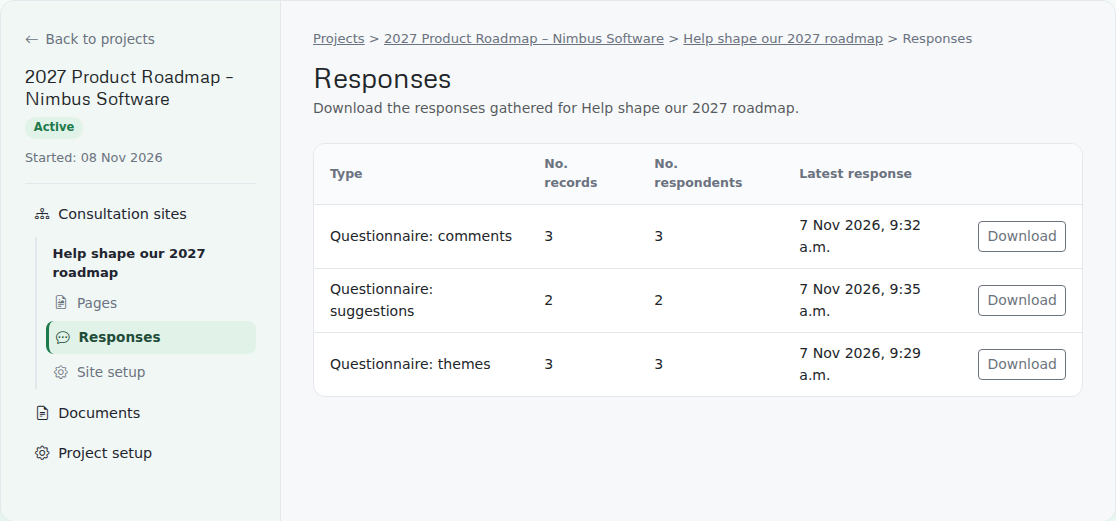
Download structured response data
Every submitted answer is captured as it comes in, broken down by questionnaire, and ready to export as CSV or Excel whenever you need it.